AI · beta
The AI that turns your floor plans into clean, editable plans
A busy architect's plan, a scan, a photo: the AI turns it into a real drawing, wall by wall, that you correct and complete in the editor. And Sacha, the built-in assistant, answers your questions about the software and the standard.
Before and after
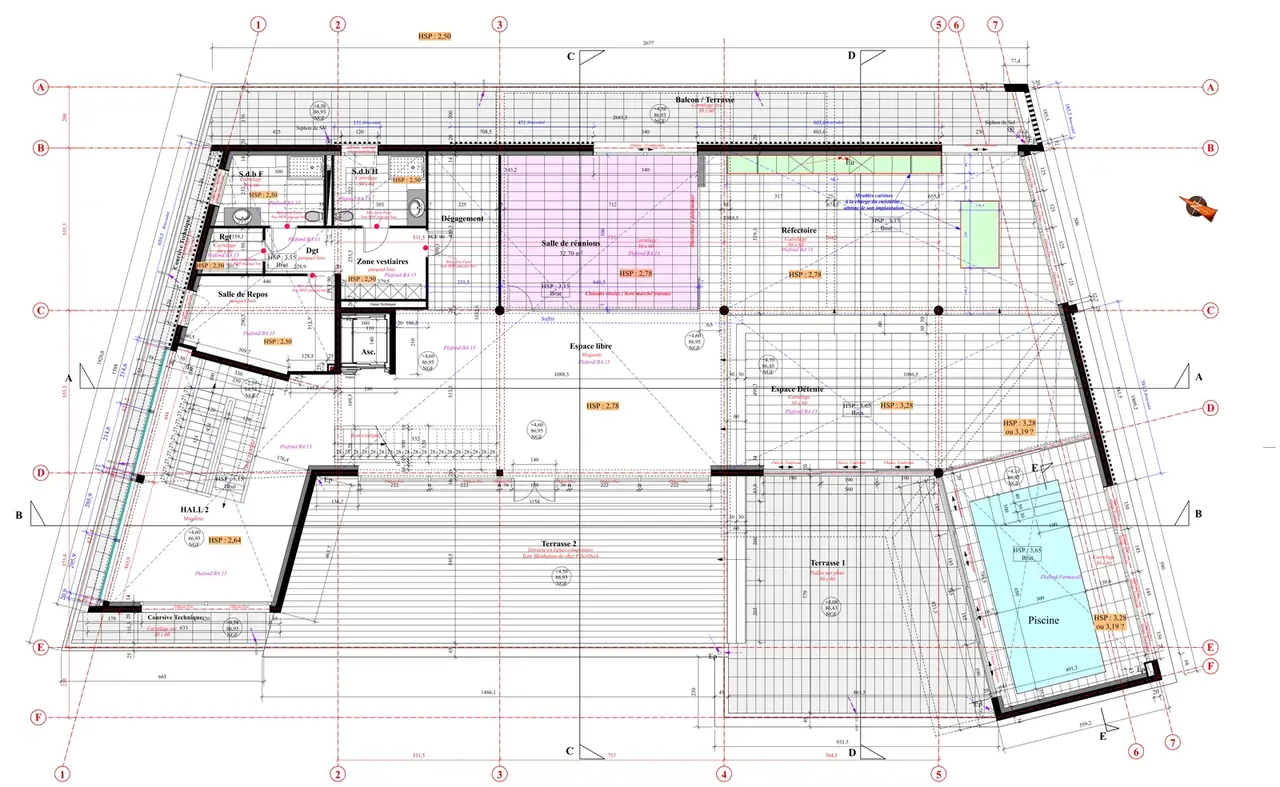
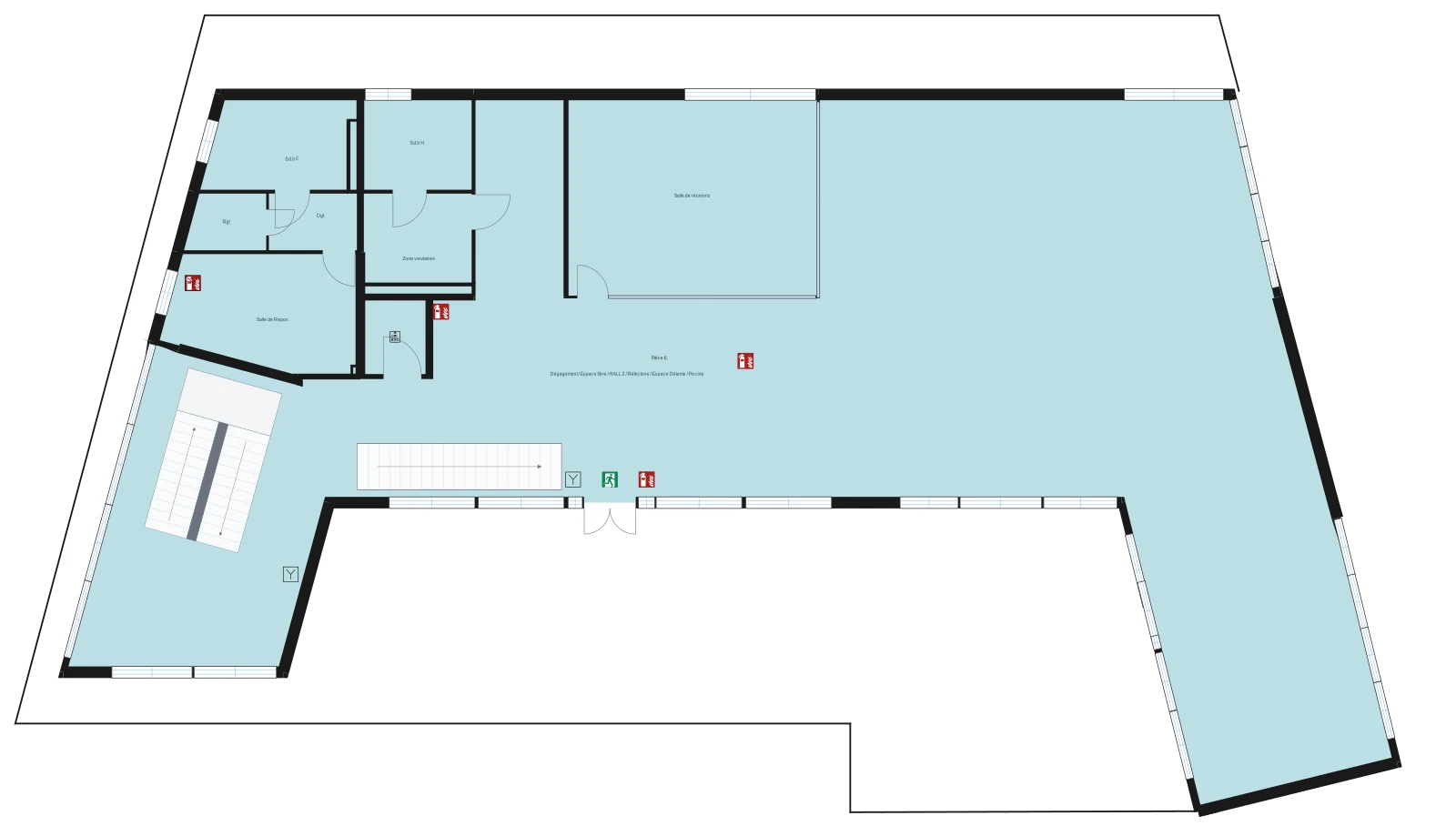
How it works
- 1
Upload your plan
An image (JPG, PNG) or a one-page PDF: architect's plan, scan, photo of a plan. A multi-page PDF goes through the standard import, as a background layer. - 2
Pick the quality
Standard, about 5 minutes and 1 credit, for most plans. Precision, about 10 minutes and 2 credits, for dense plans. - 3
The AI redraws
It traces walls, doors with their swing direction, windows, rooms outlined and named, reads the scale from the dimensions, and splits floors when the sheet has several. - 4
You review and complete
Your original plan stays underneath the drawing: compare, fix what needs fixing, then add the safety symbols, the “You are here” marker and the instructions.
A real drawing, not a cleaned-up image
Every wall is an object
Doors and windows in place
Rooms outlined and named
To scale
A faithful draft, to review
Sacha, the assistant built into Fabrik
Understand the standard
Learn the software
Get guided, or let it act
Talk, show
Sacha is rolling out gradually: it is open to some accounts first, then to everyone. Your questions are sent to our AI provider to generate the answer and are not stored; they are only used to improve the AI if you consent.
Fabrik AI: your questions
How much does an AI import cost?
1 credit per floor in Standard quality, 2 in Precision. A building includes 1 credit, the subscription 10; beyond that, a credit is €2.50. If processing fails, the credits are refunded.
What files can I give the AI?
An image (JPG, PNG) or a single-page PDF: architect's plan, scan or photo of a plan. The sharper and straighter the plan, the better the result. Multi-page PDFs and site plans go through the standard import, as a background layer.
Is the plan produced by the AI compliant?
Not as is: it is a faithful draft of the building, to review. You then add the safety symbols, the “You are here” marker, the instructions and the legend; compliance of the final plan remains the responsibility of whoever prepares it.
Can I edit the result?
Yes, fully: walls, doors, windows and rooms are regular editor elements, as if you had drawn them. Your original plan stays underneath for comparison.
Can Sacha answer questions about the standard?
Yes, from the Fabrik documentation: what a plan must show, what the symbols mean, how plan types differ. For an exact dimension or obligation, it points you to the text of the standard, which prevails.
Is Sacha available on my account?
It is rolling out gradually. If it does not show up on your account yet, it will; if you declined measurement cookies, the app offers to turn them back on to display it.
Your plan, redrawn in minutes.
All that is left is to complete it.
No card required · Export from €9.99