Vos plans de sécurité, de la conception à la maintenance.
Import de votre plan en fond de calque, bibliothèque ISO 23601, multi-bâtiments, impression professionnelle et suivi des contrôles d'équipements. Tout ce dont un responsable sécurité a besoin, dans un seul navigateur.
Un éditeur fait pour la sécurité incendie, pas pour les architectes
Tous les outils dont vous avez besoin sont à portée de clic — et seulement ceux-là. Murs, portes, escaliers, cotations, calques : assez de précision pour être conforme, assez de simplicité pour ne pas vous faire perdre une journée.
- 15+ outils de dessin : murs, portes, fenêtres, escaliers, cotations, textes
- Système de calques avec gestion de la visibilité et de l'ordre
- Multi-étages : créez RDC, R+1, R+2... et naviguez en un clic
- Grille, snapping et guides pour aligner sans réfléchir
- Undo/Redo sur 50 niveaux
- Auto-save toutes les 10 secondes (jamais de perte de travail)
2000+ pictogrammes ISO 23601 / NF X08-070, intégrés et à jour
Toute la signalétique de sécurité, classée par catégorie et indexée pour la recherche. Plus besoin d'aller chercher le bon SVG ailleurs : tapez "extincteur", glissez, déposez.
- Sorties de secours, cheminements et issues
- Extincteurs (eau, poudre, CO2) et RIA
- Points de rassemblement et zones de mise à l'abri
- Alarmes incendie, BAES, désenfumage
- Défibrillateurs et équipements de secours
- Flèches directionnelles et organes de coupure
Une arborescence claire : Client → Site → Bâtiment → Plans
Que vous gériez 10 ou 1000 plans, retrouvez n'importe lequel en quelques secondes. Filtres, recherche, vue galerie ou liste : tout est pensé pour les pros qui jonglent avec plusieurs sites.
- Hiérarchie à 4 niveaux : Client, Site, Bâtiment, Plans
- Recherche full-text et filtres avancés
- Vue galerie ou liste, tri par date, format ou type
- Auto-save toutes les 10 secondes + sauvegarde manuelle (Ctrl+S)
Travaillez en équipe avec des rôles précis
Invitez vos collaborateurs ou vos clients dans votre organisation et attribuez à chacun le bon niveau d'accès. Sans les exposer à des plans qui ne les concernent pas.
- Organisations avec 4 rôles : owner, admin, editor, viewer
- Invitations par email avec confirmation
- Gestion centralisée des membres et permissions
- Idéal pour bureaux d'études, mainteneurs et clients finaux
Ne ratez plus jamais un contrôle réglementaire
Inventoriez tous vos équipements de sécurité, suivez leurs dates de vérification et recevez une alerte 30 jours avant chaque échéance. Tout votre parc en un coup d'œil — et surtout, plus aucun oubli avant la commission.
- Inventaire complet : extincteurs, BAES, détecteurs, RIA, désenfumage
- Suivi des contrôles annuels et certificats de conformité
- Alertes automatiques 30 jours avant l'échéance (J-30)
- Photos et documents (PV, rapports) attachés à chaque équipement
- Vue cartographique : visualisez chaque équipement directement sur votre plan
Commandez vos plans imprimés et livrés (bientôt)
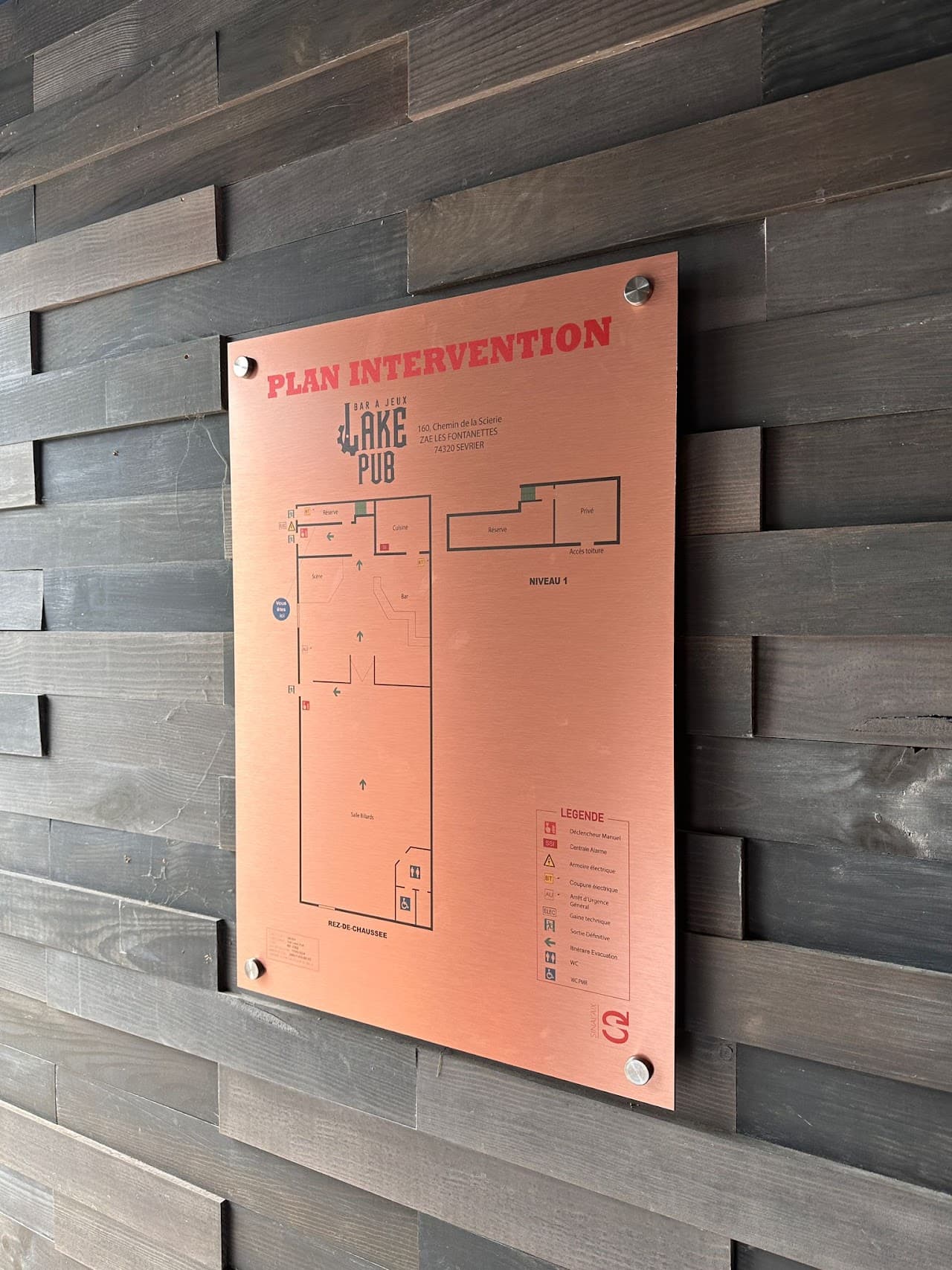
Plus besoin de courir chez l'imprimeur : commandez vos plans en papier, plastifié, plexi ou alu directement depuis Fabrik. Livrés chez vous ou directement chez votre client.
- Papier standard (affichage temporaire)
- Papier plastifié résistant (usage quotidien)
- Plexiglass (haut de gamme, ERP, hôtels)
- Aluminium dibond (extérieur, sites industriels)
Et tout ce qui rend la vie plus facile
Vos questions, nos réponses
Prêt à tester toutes ces fonctionnalités ?
Découverte gratuit, sans CB, aucune carte bancaire requise